All Activities
Five activities that take you from manual flight to running your own AI training experiment. Activities 1 to 4 are fully available. Activity 5 (RL Training) is still being built.
You can do activities 1 to 4 in any order, but starting from Activity 1 and working through is the recommended path.
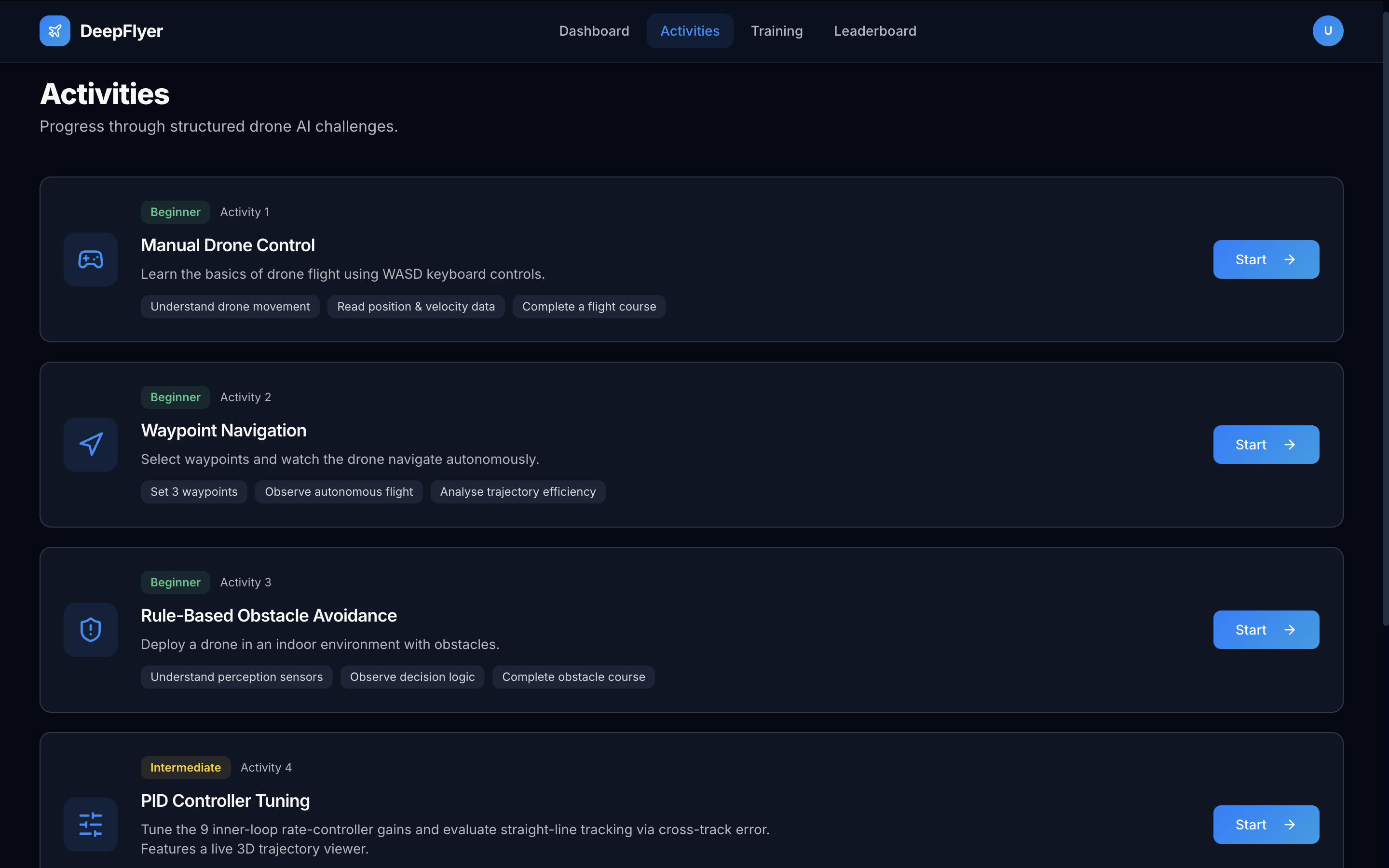
Learning Path
Activity 1       Activity 2       Activity 3
Manual Control -> Waypoint Nav  -> Obstacle Avoid
(Beginner)       (Beginner)       (Beginner)
                                      |
                                      v
                 Activity 5       Activity 4
                 RL Training   <- PID Tuning
                 (Intermediate)   (Intermediate)
Activity Summary
| No. | Name | Level | Time |
|---|---|---|---|
| 1 | Manual Drone Control | Beginner | 10-15 min |
| 2 | Waypoint Navigation | Beginner | 10-15 min |
| 3 | Obstacle Avoidance | Beginner | 15-20 min |
| 4 | PID Controller Tuning | Intermediate | 20-30 min |
| 5 | RL Training | Intermediate | In Progress |
How to Start an Activity
- Click Activities in the top navigation bar.
- Find the activity card you want to run.
- Read the three goals listed on the card so you know what to focus on.
- Click Start on the right side of the card.
- Wait about 30 seconds for your simulation container to start. This happens every time you launch an activity.
- The activity page opens automatically when the simulation is ready. Once the status dot turns green, wait a further 1 to 2 minutes before arming.
Scores and Badges
Every completed run is saved to your Dashboard and appears on the Leaderboard.
A run is marked Completed when you click Disarm after a successful session. A run is marked Failed if the drone crashes without recovery. Only Completed runs count on the leaderboard.
| Badge | How to earn it |
|---|---|
| 🛫 First Flight | Complete any activity for the first time |
| 🎯 No Collision | Score 900 or higher on Obstacle Avoidance |
| 🧠 First RL Success | Complete any RL Training run |
| 🎓 RL Master | Score 950 or higher on any activity |